
pylvgl smart screen: Python Themes and LVGL Smart Display
简体中文 · English
pylvgl smart screen
Put the data you care abouton another screen on your desk
Define themes with Python. Render interfaces with LVGL. Bring your ideas to the screen with AI assistance.
pylvgl-smart-screen is a USB smart display project for D125 devices. The Windows host collects and organizes data, then sends it over USB. The device renders themes locally using MicroPython + LVGL to show hardware status, Cursor/Codex usage, Chinese A-share market data, or custom information.
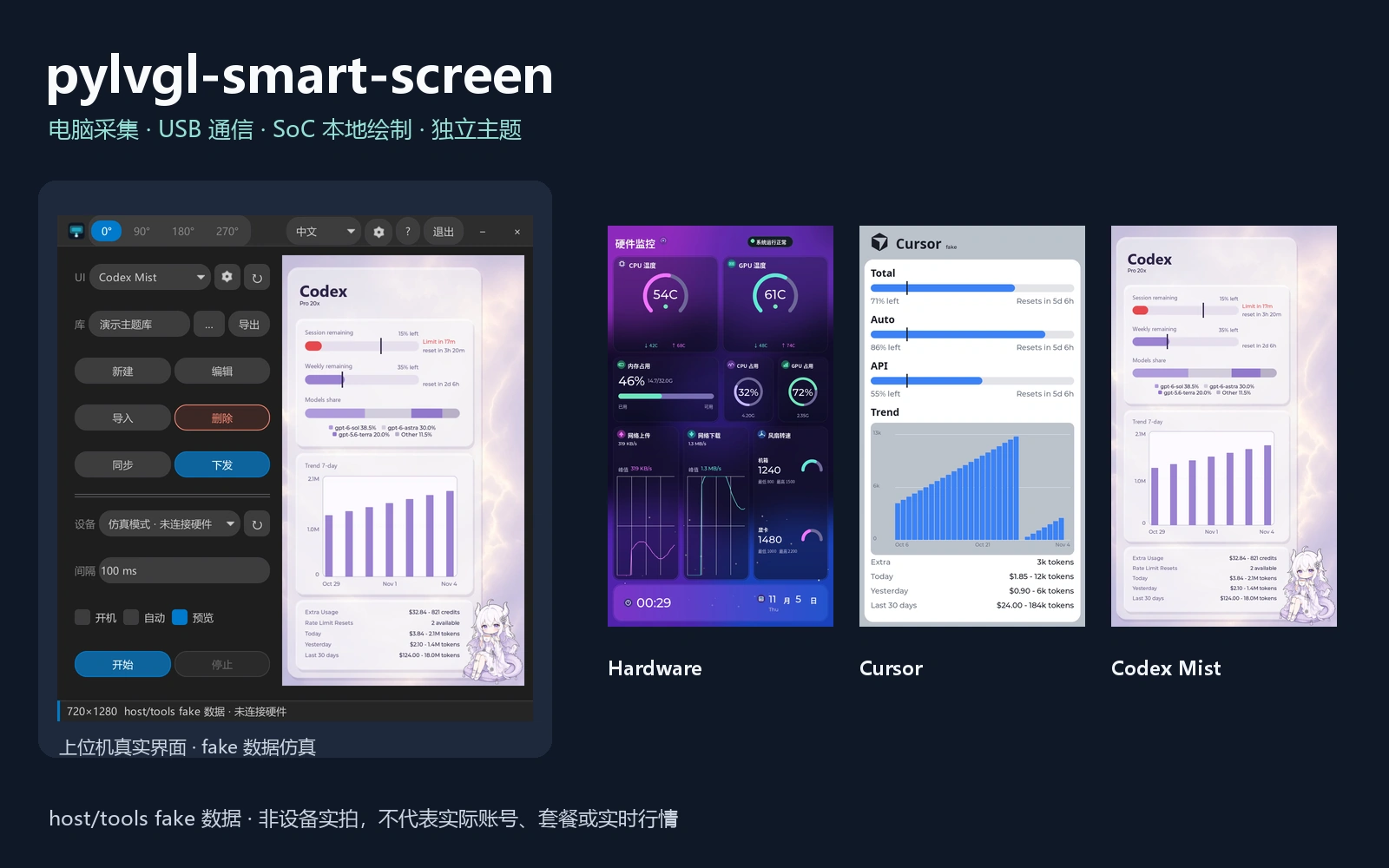
Composite of actual application screenshots and project theme previews. All readings in this image are demonstration data; this is not a photograph of a physical device.
Download · Themes · How it works · Get started · Support
Customize a theme as easily as editing a script
Change the interface with Python, without compiling routine theme changes
Use MicroPython's LVGL bindings to describe your interface in Python. Adjust layouts, colors, text, charts, and refresh logic within each theme to adapt the same screen to different information needs.
Within the capabilities of the existing firmware and interfaces, edit theme scripts and assets, preview them, deploy them, and reload as prompted. There is no need to recompile the firmware or rebuild the host EXE.
Flexible scripts, native LVGL rendering
The LVGL graphics engine is compiled into the device firmware. Python accesses its widgets and drawing capabilities through bindings. Scripts organize the interface while the native graphics engine handles rendering, combining flexible customization with efficient drawing.
The PC sends data, and the device updates the display locally. Layout changes do not require rebuilding the graphics engine. Actual smoothness depends on theme complexity, asset sizes, and device capabilities.
Start customizing without first becoming an embedded engineer
Start with an existing theme and describe your idea: “Make the CPU temperature larger, show memory as a ring chart, and use a dark color scheme.” AI helps propose changes and generate theme code. Check the preview and review the differences before deploying to the screen.
Common interface changes can start with an idea and a template, without setting up an embedded build environment. AI editing requires a compatible model API and operates within the theme editor's supported scope. New hardware drivers, firmware capabilities, or data collection interfaces still require development work.
From an idea, to a script, to a desktop information screen of your own.
Why choose it
| Capability | What it offers |
|---|---|
| Python theme scripts | Edit scripts and assets within existing interfaces; routine changes require no firmware compilation |
| Precompiled LVGL engine | Python calls the bindings; the device's native graphics engine renders the interface |
| USB connection | HID carries live data and controls; MTP manages themes and configuration |
| Local device rendering | Structured data is sent to the SoC for rendering; this is not desktop mirroring |
| Multiple data sources | Choose hardware monitoring, Cursor/Codex usage, or A-share market data |
| Portrait and landscape themes | Select an orientation supported by the theme's layouts |
| Independent theme management | Create, import, preview, synchronize, deploy, and export themes without rebuilding the EXE for routine theme changes |
| Optional AI editing | Start with a template and a natural-language request, then preview and review changes before applying them |
Where it fits
- PC status dashboard: Keep supported CPU, GPU, memory, and network metrics visible on a separate screen.
- Developer workspace: Display usage information supplied by Cursor or Codex data sources with less window switching.
- Market display: Choose stock symbols and view A-share quotes fetched online by the PC.
- Personalized display: Adapt layouts, colors, information hierarchy, and existing image assets in a theme.
Available metrics depend on PC hardware, collection permissions, and the data source. Themes do not sign into accounts themselves to obtain usage information. Market-data availability and update timing depend on the provider.
How it works
A shared theme system connects both sides: the Host organizes data and manages themes; the Device receives data and updates the display. Theme rendering is separate from the common device runtime, and visual themes do not need to depend on one another.
Hardware overview
The same D125 hardware, with different firmware for different applications.
pylvgl-smart-screen shares its hardware platform with the D125 Zephyr display bring-up board. Refer to that page for board, connector, and hardware information. This project uses its own compatible MicroPython + LVGL firmware, working with the Windows host over USB to run customizable Python themes.
To use this project, install the firmware and complete runtime files supplied for pylvgl-smart-screen. The two projects use different firmware; the Zephyr solution's firmware is not a substitute for this project's runtime firmware. The current package includes the D125 2.5 IMG and checksum files; see GitHub repository · Download package.
Hardware connection
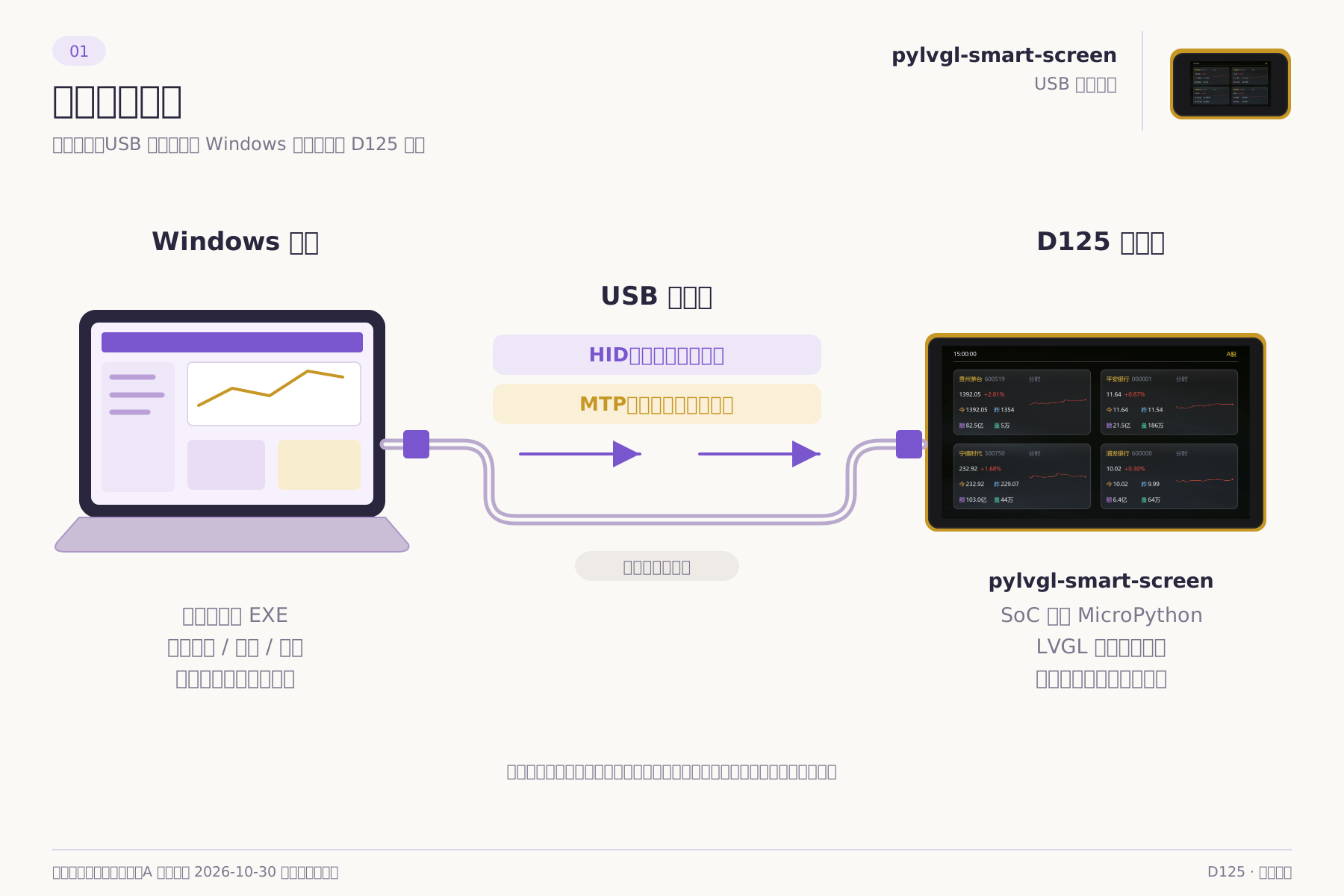
- Prepare a Windows PC, a USB cable that supports data transfer, and a compatible D125 device.
- Make sure the device has compatible firmware and a complete set of runtime files.
- Connect USB, refresh the device list in the host application, and select the device.
- Select a theme, deploy it if needed, and start sending data.
This is a logical connection diagram. Consult the actual board documentation for connector type, power supply, rated voltage, pinout, and TF-card requirements; these are not confirmed hardware specifications on this page.
Appearance and color concept
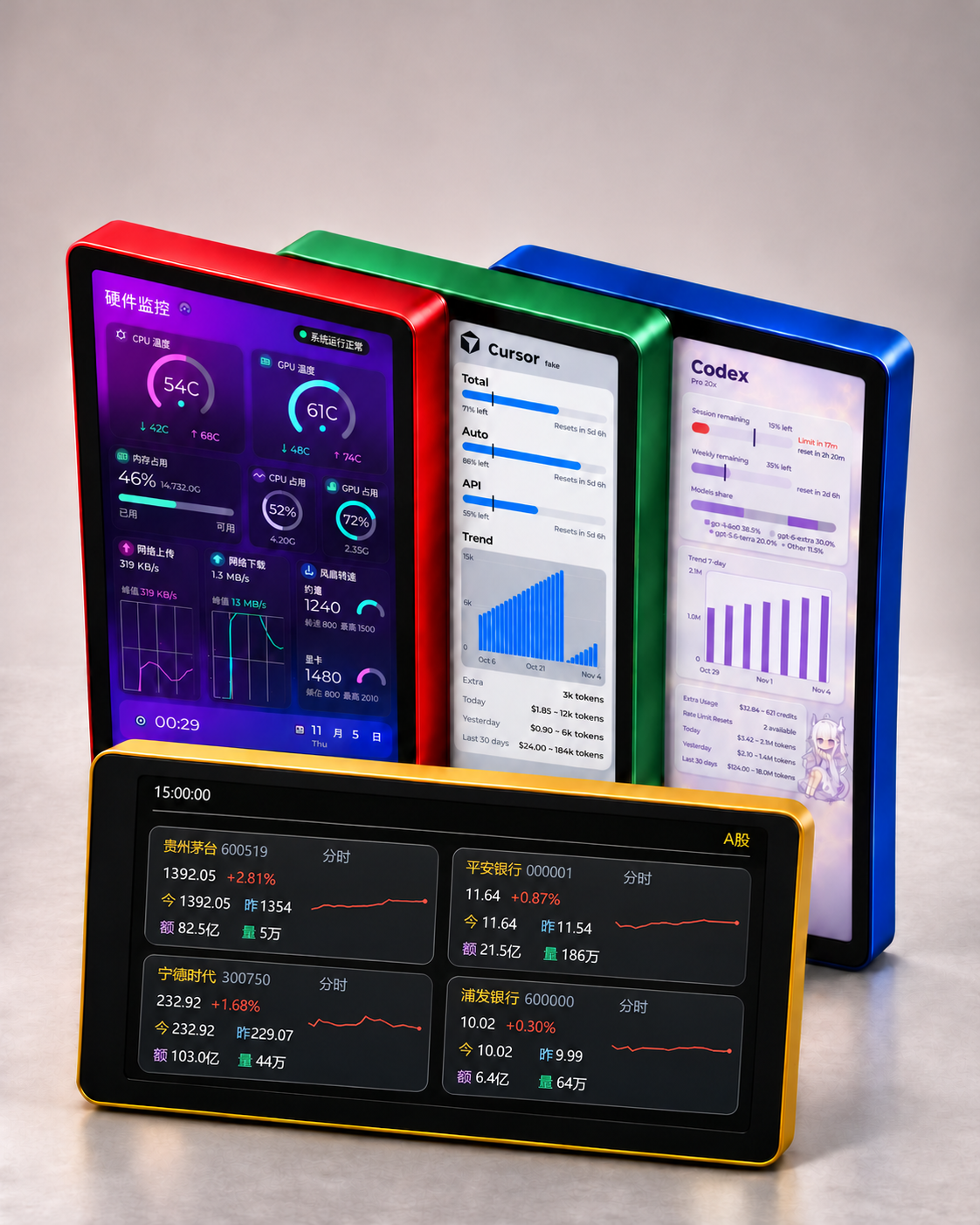
AI-edited concept based on a supplied reference image, not a photograph of physical devices. From left to right at the back: red Hardware, green Cursor, and blue Codex Mist; the front yellow display shows A-share in landscape. Screens use theme previews: hardware and usage readings are simulated, while A-share shows historical data from 2026-10-30. Enclosure colors are illustrative; actual appearance and available colors depend on the physical product. Connector close-ups and power labels remain to be supplied.
Software architecture
Host: the PC application
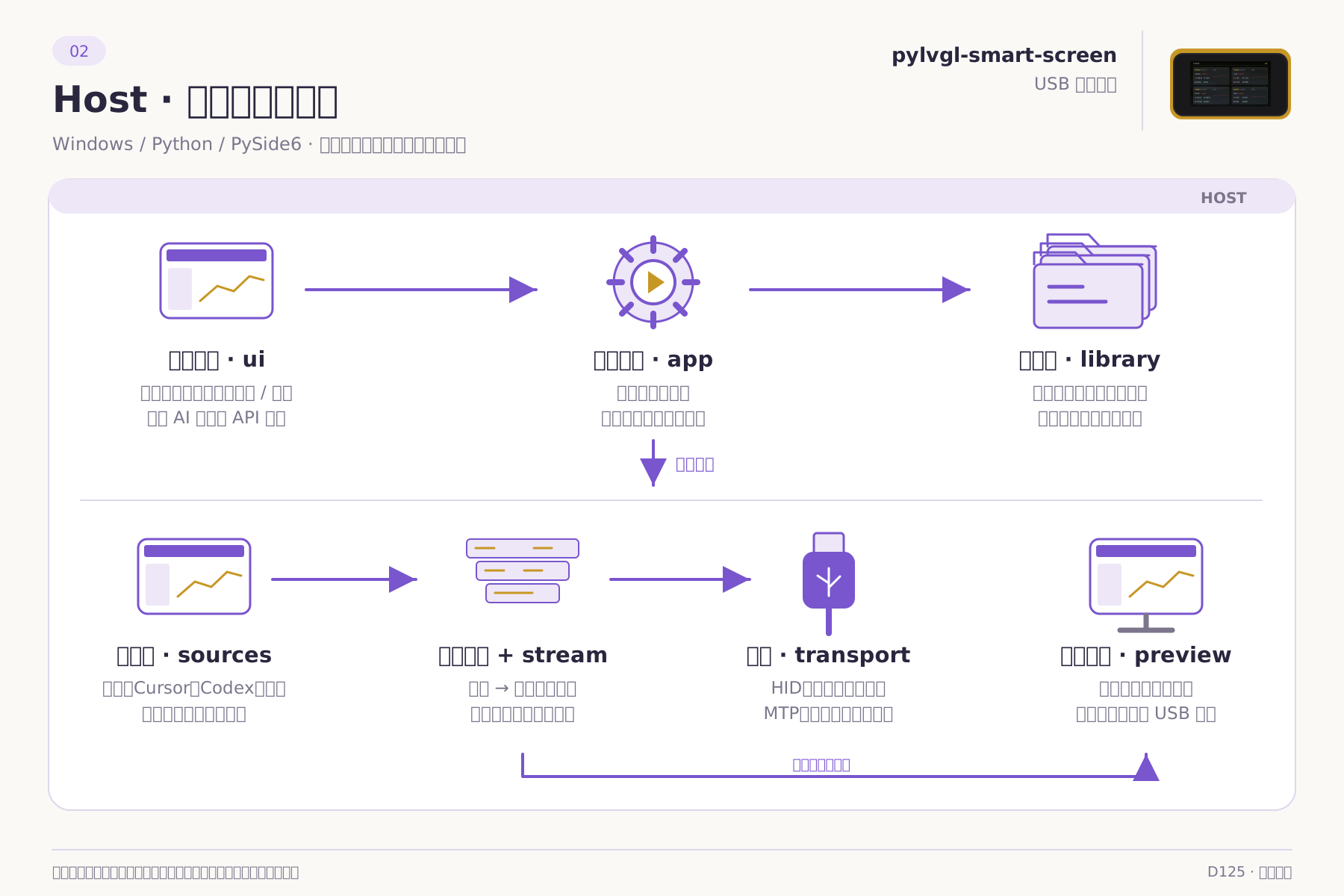
| Module | Responsibility |
|---|---|
ui / app | PySide6 interface, sessions, service assembly, theme operations, and application state |
sources | Shared data collection, source registration, and optional theme collectors |
library | Theme metadata validation, import/export, dependencies, and device synchronization |
Theme encoding / stream / protocol | Encode snapshots as theme data, construct common frames, and schedule transmission |
transport | Send HID data and controls; read and write files through MTP |
preview | PC preview using shared theme drawing and portable decoding |
ai | Optional model requests, restricted file context, change plans, and candidate validation |
| Portrait preview · Codex Mist | Landscape preview · Codex Mist |
|---|---|
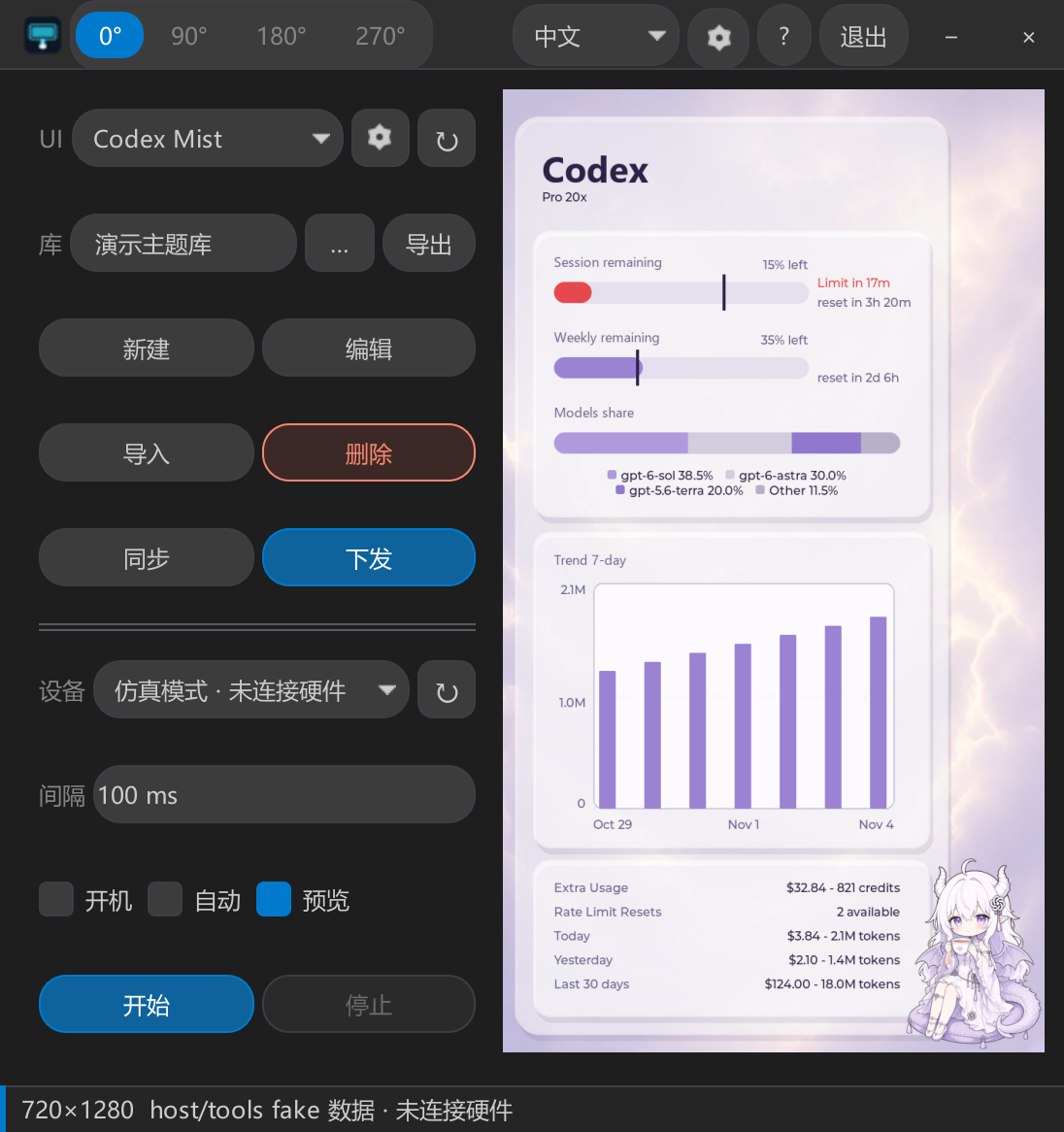 | 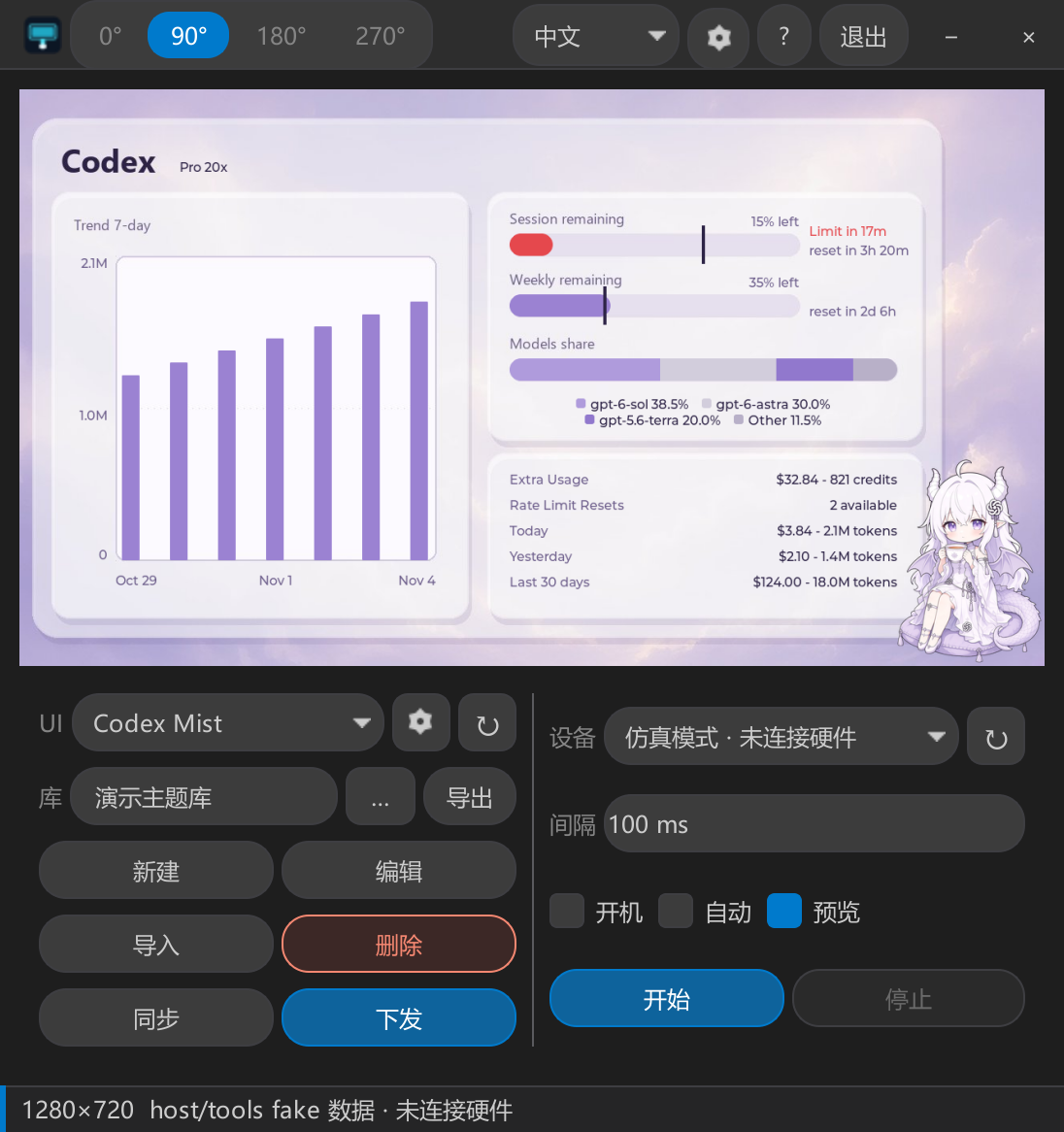 |
Isolated simulations of the actual host interface, rendered natively by Qt at 2× and saved as lossless PNGs. Both window images are 1096 × 1166. No hardware, user accounts, or model APIs were connected. The previews and original theme images use the same fake data.
Device: the SoC application
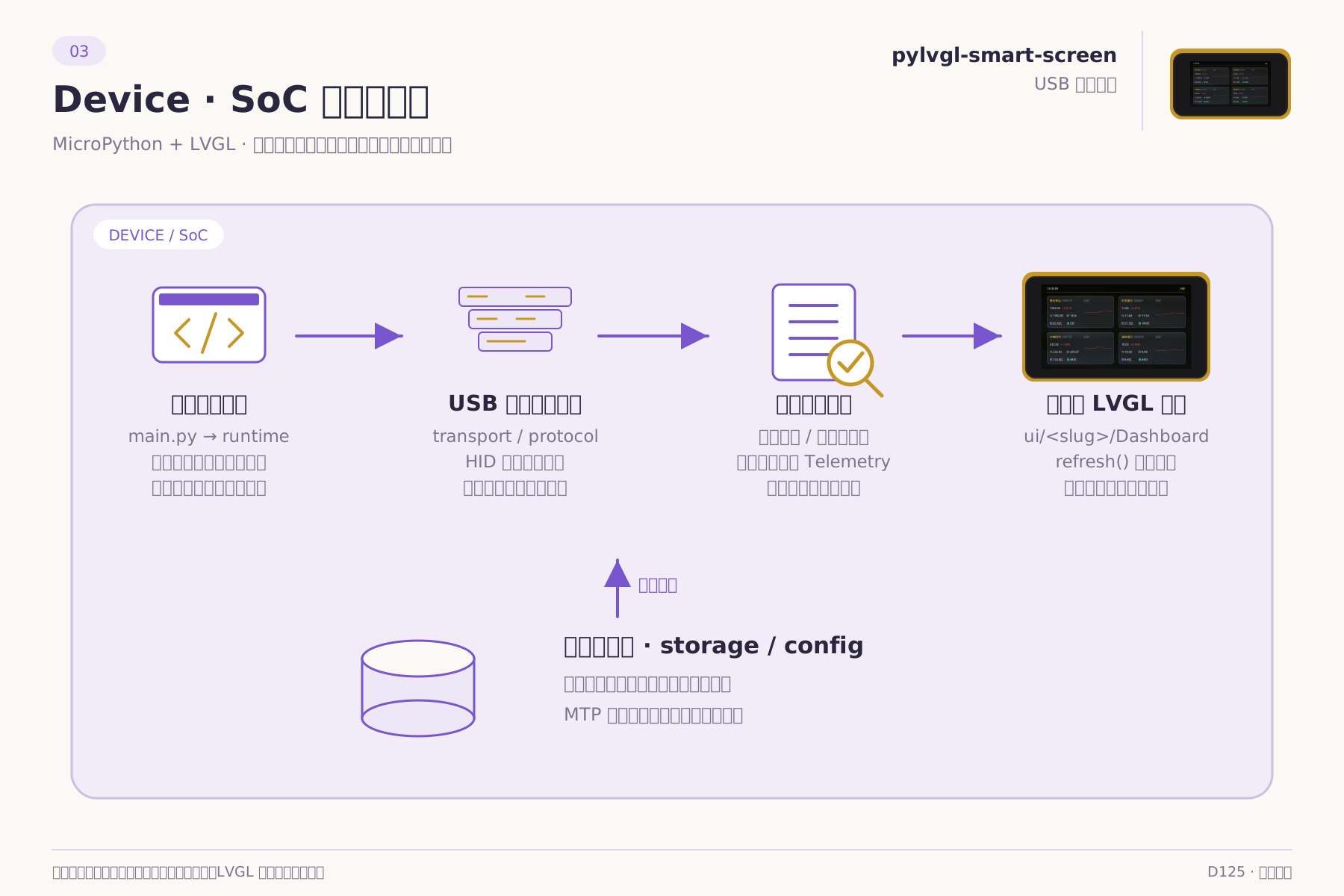
| Module | Responsibility |
|---|---|
main.py / runtime | Startup, polling, refresh, theme switching, and display lifecycle |
transport / protocol | Receive USB data, validate common frames, and read control fields |
| Theme decoder | Apply shared or theme-local protocol data to telemetry state |
storage / config | Configuration, theme mappings, and file management |
ui/<slug> / LVGL | Load theme drawing code, images, and fonts; refresh the device display |
The device uses MicroPython + LVGL. MTP file transfer is provided by the compatible device firmware. The device Python application in this repository is separate from the low-level firmware build project.
Themes: extensible units connecting both sides
themes/<slug>/
  theme.json              Name, version, source, protocol, and API requirements
  host/
    preview.json          PC preview and supported orientations
    source.py             Optional: theme-specific data collection
    encoder.py            Optional: local protocol encoding
  device/
    dashboard.py          Device interface rendering
    layout.py             Layout definitions, when needed
    decoder.py            Optional: local protocol decoding
    assets/               Images and other theme assets
Standard themes reuse shared protocols. New data interfaces can use dedicated collector plugins or local encoders and decoders. Device themes handle display, not PC account login or network collection. Code and assets travel together in the theme package for sharing and migration.
Theme gallery
Theme background resources — 2026-11-06
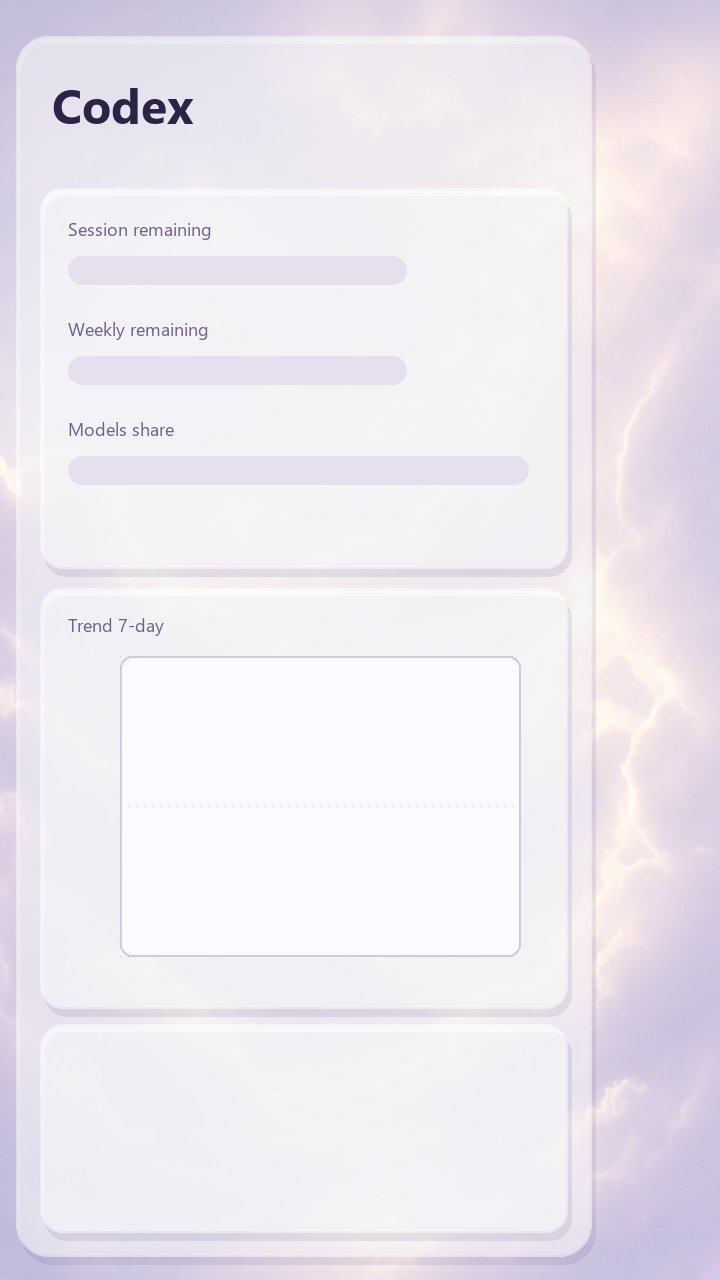
This update includes source code, background images and shared protocols for seven themes: Hardware, Holo Glass, Millennium, Cursor, Codex, Codex Mist and A-share. The cards below use a consistent layout to present the supplied original backgrounds. Switch orientation or open an original image for a closer look.
These are static background resources, not complete running interfaces. Theme code adds dynamic values, charts, controls and some foreground decorations at runtime. Any text or readings already embedded in a background are part of the artwork, not live data. Portrait images are 720 × 1280; landscape images are 1280 × 720.
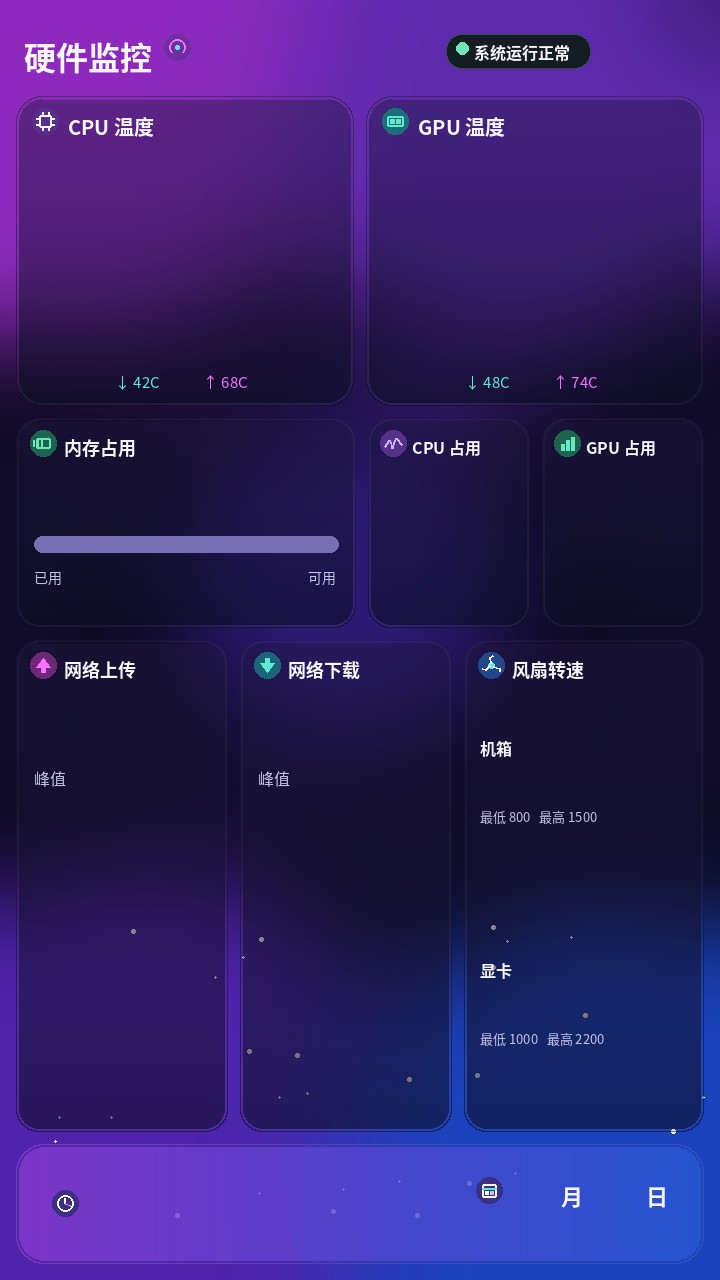
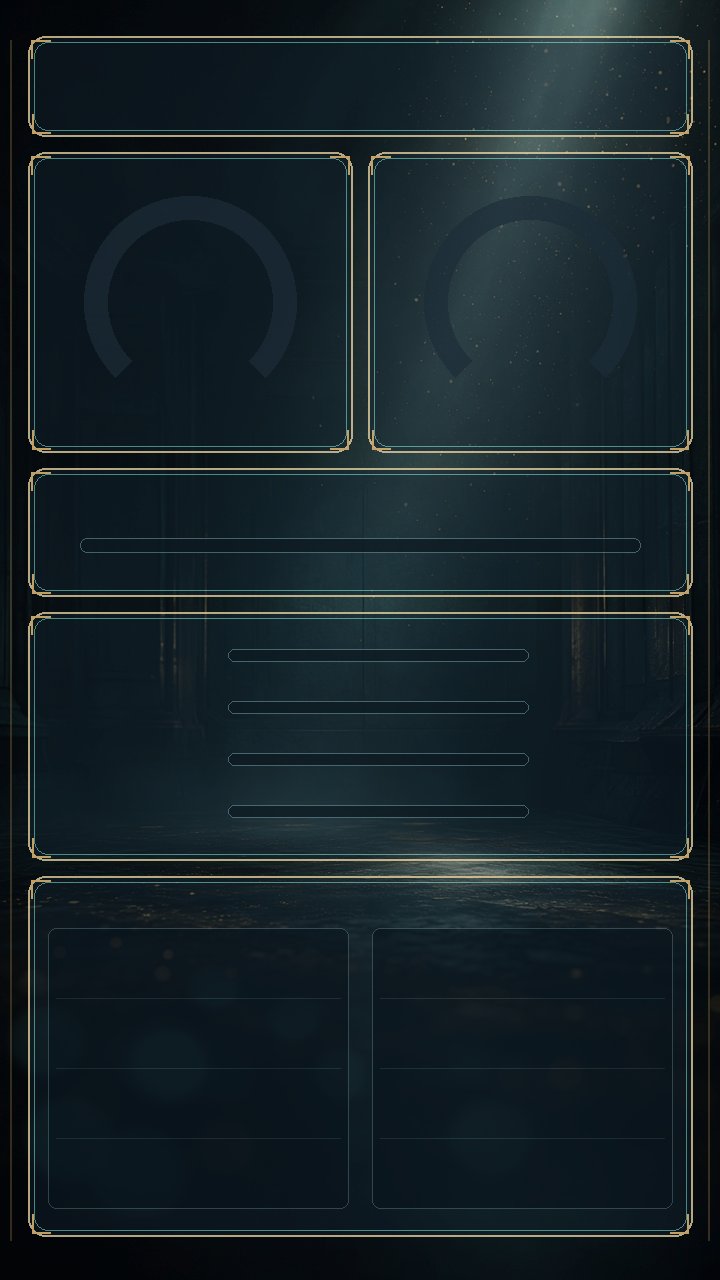
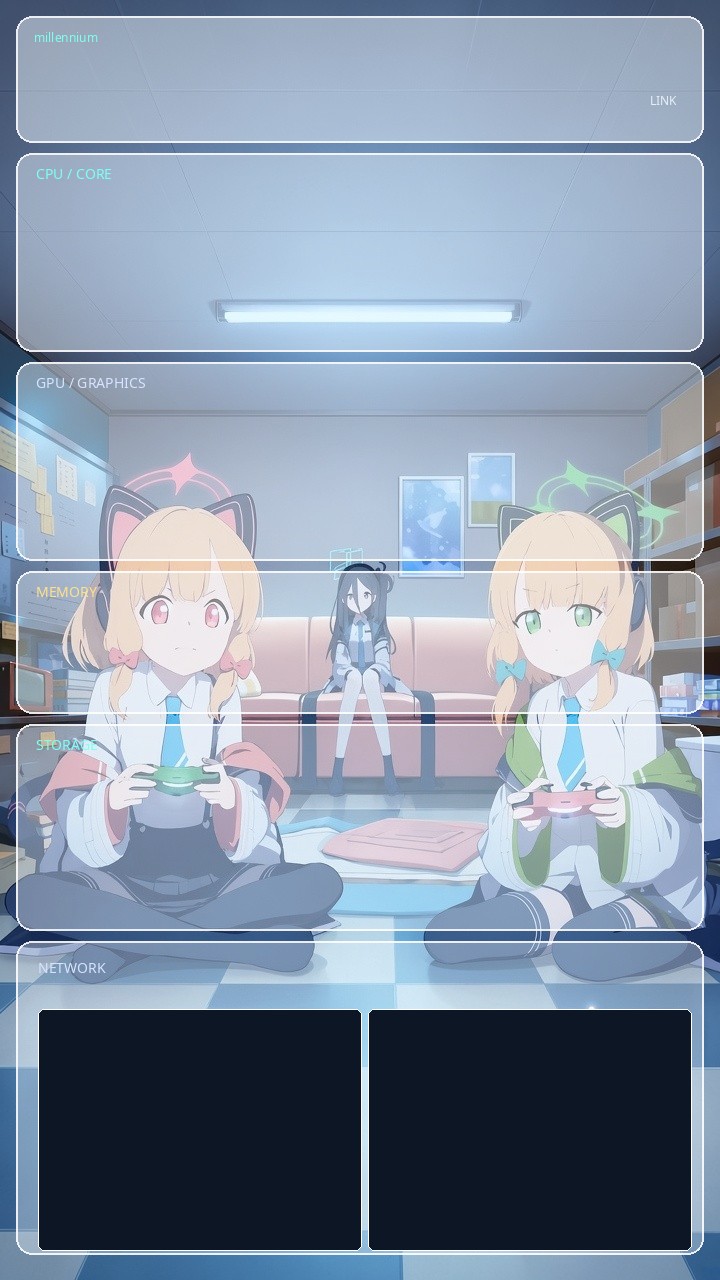
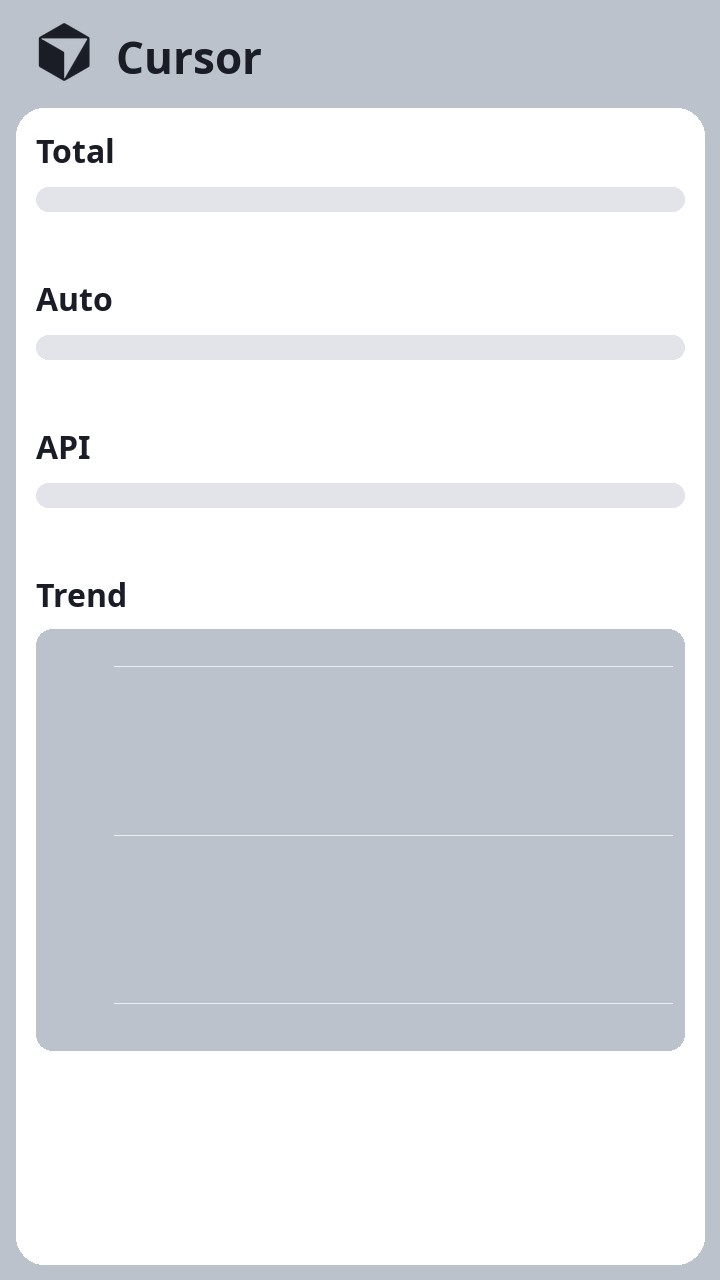
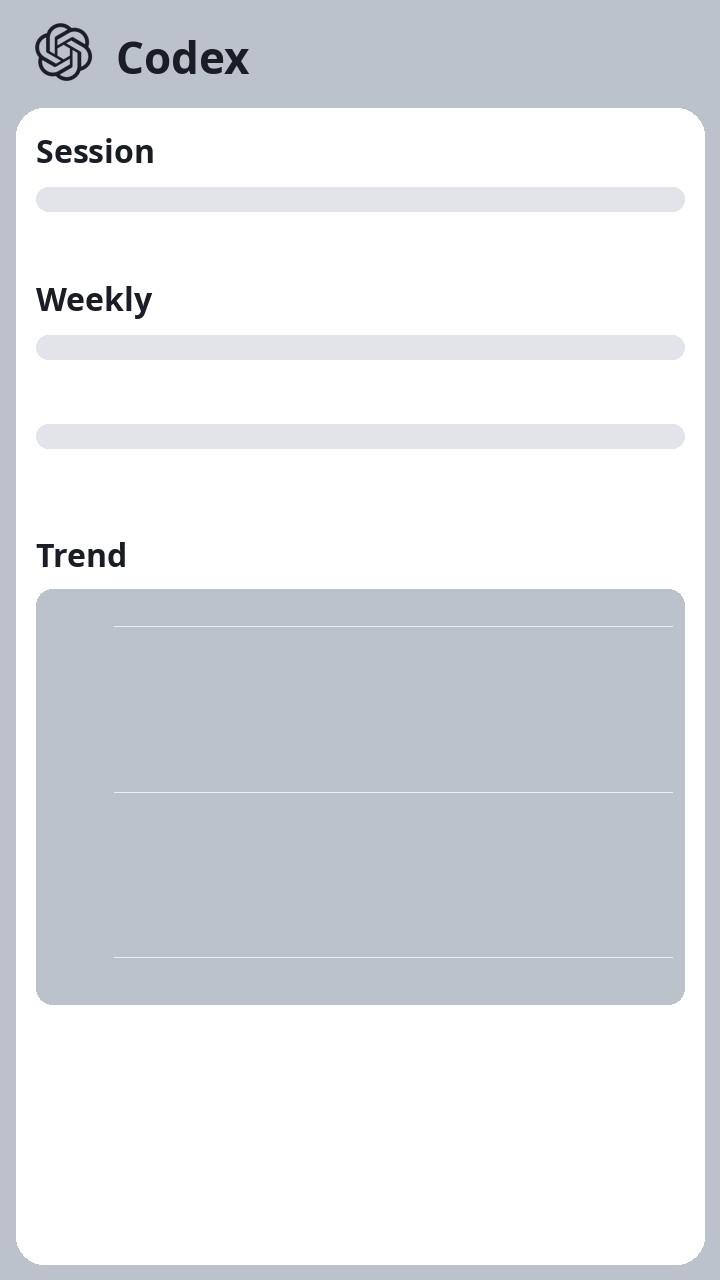
Download standalone theme resources (2026-11-06) · SHA-256 checksum
The standalone archive includes theme source, shared protocols and reference documentation. It does not contain the host EXE or firmware. Back up existing themes, extract to a separate directory and follow the matching application's theme import workflow. Preserve theme slugs, directory structure and resource filenames.
From a template to your own interface
Create and share
- Click New in the host application and set the name, identifier, version, template, and supported orientations.
- Edit the theme and check the PC preview.
- Stop streaming, import or deploy the theme, and review library alignment and deletion prompts.
- Restart the device as prompted, resume streaming, and check the physical display.
- Export the complete theme ZIP to back up or share it.
EXE users can manage themes and use AI editing without installing Python. The supplied runtime executes theme scripts; routine changes require no compilation. For manual coding, refer to the Python, LVGL, and theme interface documentation. Additional dependencies must be supported by the existing runtime.
Optional AI editing
Describe an idea → Generate a plan → Approve its scope → Generate changes → Review differences → Apply and validate.
Configure a compatible model API of your choice. The built-in editor handles a restricted set of theme drawing files, display metadata, and preview settings. It does not automatically modify collectors, communication protocols, or common device code. Back up the theme before applying changes. If validation fails, you decide whether to request a repair.
Before using AI editing
Planning, code generation, and repair requests may each incur API charges. Review the content being sent. The application does not intentionally send its API configuration file or key, but you must remove any secrets embedded in theme source files. Static checks and PC previews cannot replace hardware validation.
Quick start
1. Prepare the device and application
Use a D125 with compatible firmware and runtime files installed. Extract the complete release package and keep these entries together:
pylvgl-smart-screen/
  pylvgl-smart-screen.exe
  assets/
  themes/
  docs/
  device/firmware/
2. Connect and preview
Connect the device over USB, run the EXE, refresh the device list, and select the D125. Choose an existing theme, enable PC preview, and select an orientation that the theme supports.
3. Deploy and display
If the device does not have the theme, stop streaming and deploy it first. Review prompts about possible removal of other device themes. Restart as prompted, then click Start.
The application supports tray operation. Closing the window may only hide it; use Exit to quit completely.
Specifications and requirements
| Item | Current information |
|---|---|
| Product name | pylvgl-smart-screen |
| Device | Compatible D125 board, firmware, and complete device runtime files |
| Host | Windows; the released EXE requires no Python installation |
| Device software | MicroPython + LVGL on the SoC |
| USB communication | HID: live data and controls; MTP: themes and configuration |
| Theme canvas | Portrait 720 × 1280; landscape 1280 × 720 |
| Orientations | 0° / 90° / 180° / 270°, subject to the theme's layouts |
| Data requirements | Account usage depends on the corresponding source; quotes and model APIs require their network services |
| Firmware resources | The repository and user package include 2.5 image with checksums; obtain build tools and flashing utilities separately |
This page does not promise unverified refresh rates, end-to-end latency, power consumption, or coverage of all PC hardware metrics. Verify firmware compatibility, power, and storage requirements on the target device.
Frequently asked questions
Is this an extended PC monitor?
It is a themed secondary display for structured data. The host transmits data and the device renders locally. It is not intended for dragging PC application windows onto it or mirroring the desktop.
Can I use it without AI?
Yes. Data display, theme import, and device deployment do not require a model API. AI editing is optional.
Does the PC preview exactly match the device?
The preview helps check layout and data. Fonts, assets, and the device runtime still require checking on hardware. A preview is not a screenshot of the physical display.
Can deployment affect existing device themes?
Yes. Synchronization and deployment align the theme library and may remove device themes that are not retained. Stop streaming, back up files, and read the prompts first. Storage capacity also limits the number of themes you can deploy.
How do I protect accounts and API keys?
Do not embed credentials in themes or share your local ai-settings.json. Hide accounts, keys, personal paths, and device identifiers before publishing screenshots or logs.
Download package
Download pylvgl-smart-screen 0.2.0: host application, themes, and firmware
Resource update: 2026-11-06. The complete archive below retains the 0.2.0 host application and includes the updated seven themes and shared protocols. This is a theme resource refresh.
Extract the complete Windows release package and run pylvgl-smart-screen.exe; no Python installation is required. It supports D125 devices with compatible firmware and complete runtime files already installed, and EXE-based theme development.
| Item | Contents |
|---|---|
| Filename | pylvgl-smart-screen-0.2.0.zip |
| Size | 110,919,254 bytes, approximately 105.8 MiB |
| Application | Host EXE and runtime assets, including theme creation and AI editing |
| Themes | Seven built-in themes, drawing source, images, preview settings, and shared encoding/decoding protocols |
| Firmware | device/firmware/: D125 2.5 IMG file, SHA-256 checksums, and Chinese/English instructions |
| User documentation | Chinese/English guides for quick start, operation, device setup, theme development, collector plugins, and AI editing |
| AI guidance | Chinese/English docs/ai/THEME-EXE guides for theme development using only the EXE |
| Protocol documentation | Common USB HID, theme configuration conventions, and theme-specific protocols |
d4809e962051a0502a11b4980c491fe7017bbab72f23bbdb451aa227ec77f12dExtract everything, keeping assets/, themes/, docs/, and device/ alongside the EXE. Verify the download with Windows PowerShell:
Get-FileHash .\pylvgl-smart-screen-0.2.0.zip -Algorithm SHA256What else is needed for initial device setup?
This package includes PC usage and theme development materials plus D125 2.5 firmware image. It does not include the complete device runtime package, flashing utilities, or the low-level firmware build project. Read the instructions in device/firmware/, verify SHA-256, and select a version according to your board documentation. The image has not completed hardware flashing validation in this project. Initial setup, firmware upgrades, or custom device decoders require matching device documentation and runtime files. Confirm the board, power supply, and flashing procedure with the maintainer. Model API keys and account credentials are not included.
Resources and support
| Resource | Link |
|---|---|
| Host, themes, and firmware | Download 0.2.0 |
| GitHub repository | UltraSemiCN/pylvgl-smart-screen |
| Standalone themes (2026-11-06) | Download theme ZIP · SHA-256 |
| Hardware and design files | D125 display board |