
ArtInChip D125 Instant Print Camera and Kids Camera Solution
UltraSemi's ArtInChip D125 solution brings image capture, display, media recording, playback and thermal printing into a single platform for instant print cameras, printing cameras and kids cameras. Users can print after taking a photo or select a saved photo during playback and print it again, turning digital images into paper keepsakes.
The solution supports dual DVP cameras and MCU, MIPI and RGB display interfaces, allowing product designs to accommodate different camera arrangements, displays and enclosures. It also supports video recording, audio recording, video playback and video frame capture for everyday photography, family activities and portable media recording.
Solution Overview
| Item | Supported functionality |
|---|---|
| Controller platform | ArtInChip D125 |
| Product types | Instant print cameras, printing cameras and kids cameras |
| Camera interfaces | Dual DVP cameras |
| Display interfaces | MCU / MIPI / RGB, selected for the project |
| Printing method | Thermal printing |
| Capture and print | Print after taking a photo |
| Photo playback | View saved photos and print selected images |
| Video recording | Supported |
| Audio recording | Supported |
| Video playback | Supported |
| Video frame capture | Capture a still image from video |
Dual DVP denotes support for a two-camera interface configuration. Simultaneous capture, camera switching and sensor combinations require project-specific confirmation. Display resolution, size, touch requirements and interface configuration can be discussed during evaluation.
Hardware Showcase
Board Front and Functional Components
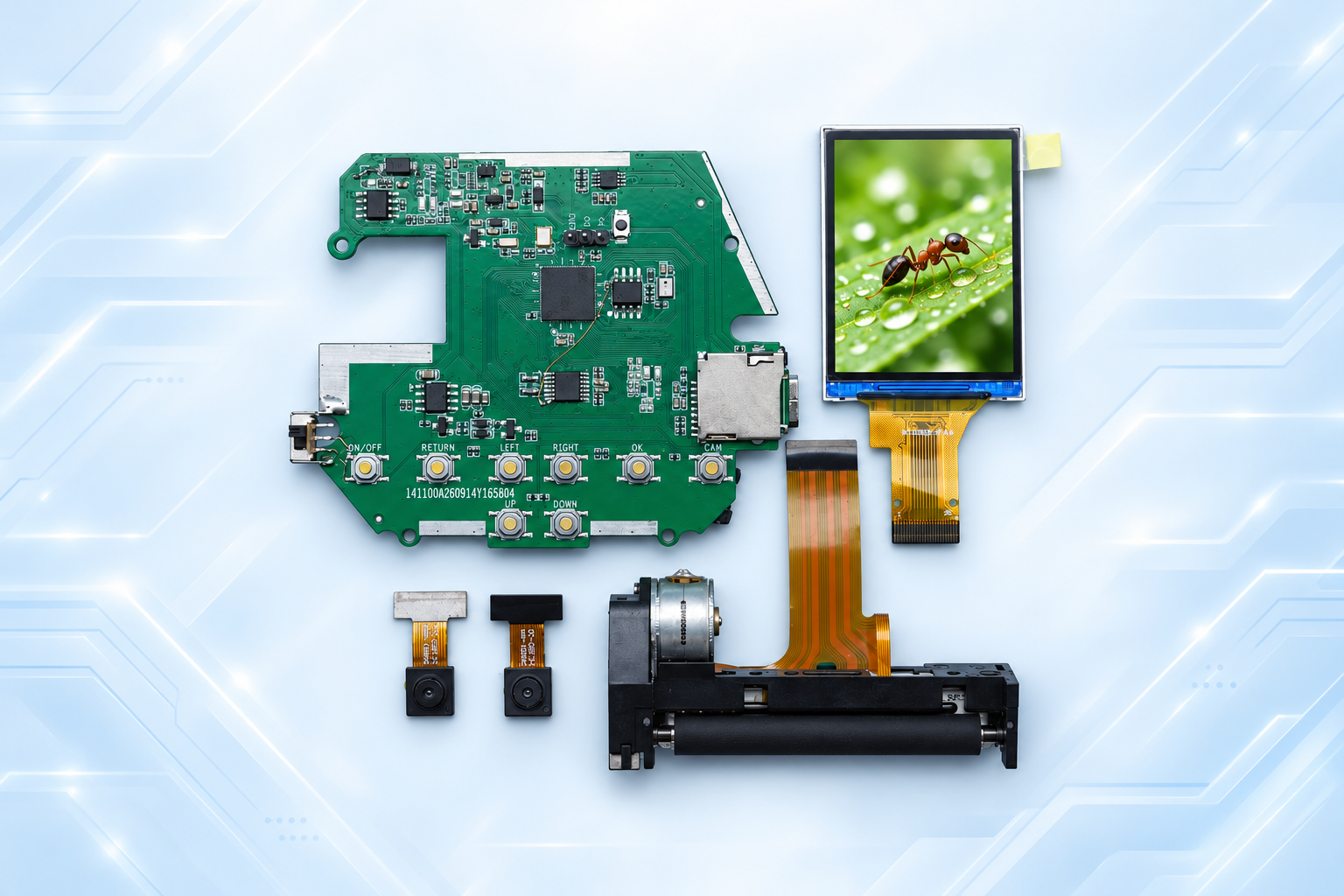
The image shows the button side of the board alongside the display, two cameras and thermal printing components. Direction, confirmation, return and capture buttons provide physical controls for shooting, selecting photos and playback.
Board Back and Connector Layout
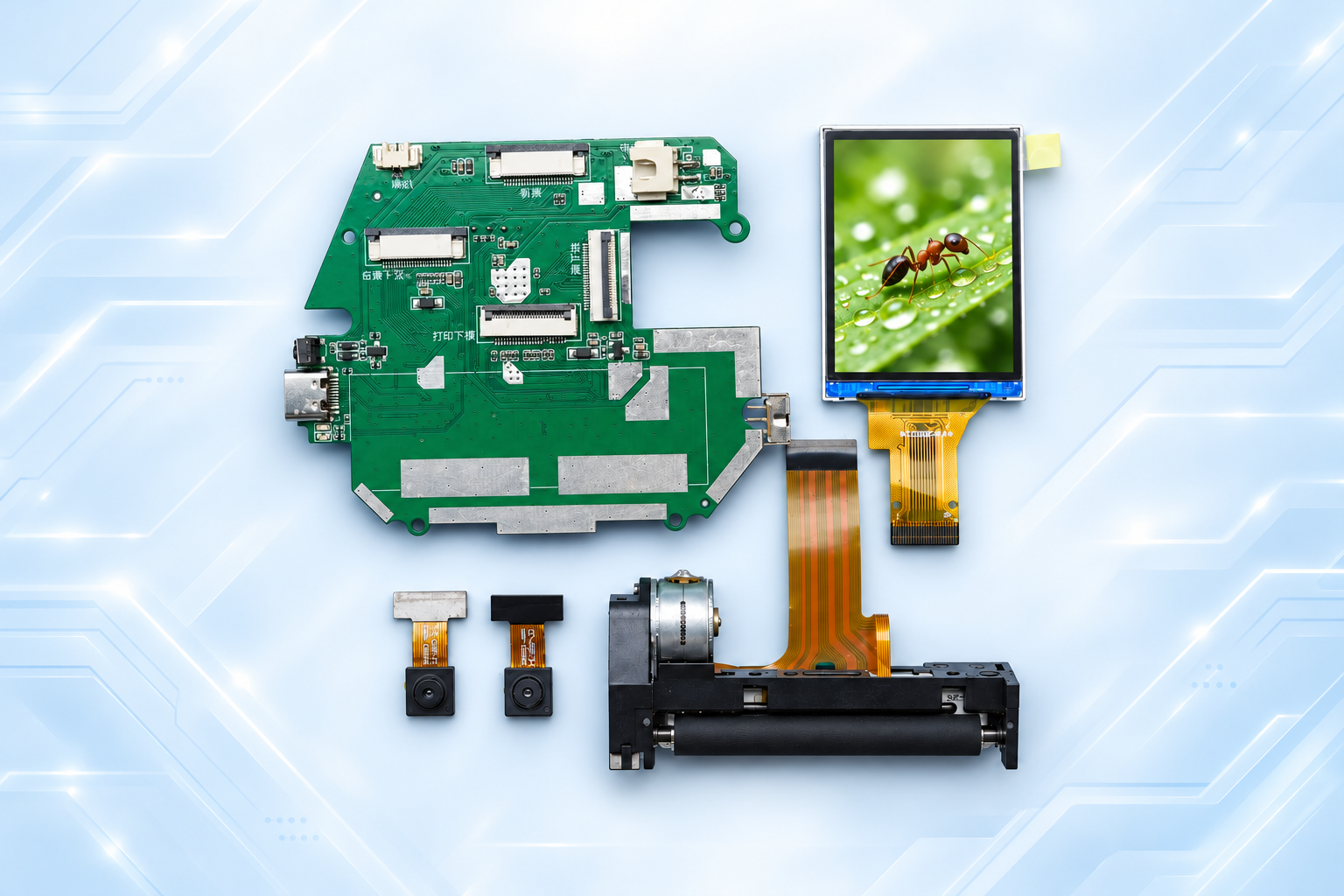
The rear view shows the board's connectors and routing layout. These can be reviewed alongside camera placement, display mounting and the printer's paper path when planning the enclosure. The images illustrate solution hardware; the screen illustration is not a camera sample or a sample thermal print.
Features and User Experience
Capture and Print
Photo capture connects to thermal printing so users can turn a captured moment into a paper image. A product can organize its main controls around framing, taking a photo and printing, making the workflow easy to understand for children and families.
Select Photos Before Printing
Users can browse saved photos and print selected images. Reviewing photos before output lets them choose the pictures they prefer and print another copy of the same photo when needed.
Video and Audio Recording with Playback
Video recording and playback help preserve movement and activity sequences. Audio recording is also supported. File formats, codecs, storage capacity and the relationship between video and audio recording depend on the project configuration.
Capture a Still Frame from Video
Video frame capture allows a moment from a recording to be kept as a still image. The saved image specification and whether captured frames enter the photo playback and printing workflow can be confirmed against product requirements.
Product Applications
- Kids printing cameras: physical controls, photo capture, playback and printing help children record what they see through a straightforward workflow.
- Family instant print devices: turn photos from trips, gatherings and craft activities into paper images that can be shared.
- Portable printing cameras: integrate the camera, display and printer into a portable product with fewer steps between capture and output.
- Activity recording devices: record video, audio and photos, then review the results and select photos to print.
These are product design directions. Enclosure design, controls and supporting software can be defined for the project. Paper specifications, print speed, grayscale results, sensor resolution, battery life and production configuration depend on the selected components.
Frequently Asked Questions
What printing method does this instant camera use?
This solution uses thermal printing. Paper requirements and print results depend on the printing mechanism and consumables. “Instant print” describes the ability to produce a paper image after capture.
Does it support two cameras and different display interfaces?
The solution supports dual DVP cameras and MCU, MIPI and RGB display options. Sensor models, display timing, interface pin assignments and mechanical mounting must match the specific hardware configuration.
What functions are available beyond capture and print?
The solution supports printing during photo playback, video recording, audio recording, video playback and video frame capture. Users can record content, review it and select photos for output.
What information is needed for evaluation?
Provide the intended product type, camera models and quantity, display size and interface, printing mechanism and paper specifications, storage needs, power source, enclosure dimensions and expected software workflow.
Discuss Your Project
For an ArtInChip D125 kids camera, thermal printing camera or instant print solution, contact UltraSemi at doc@ultrasemi.com. Component choices and product requirements help define the display, camera, printing and media recording configuration.